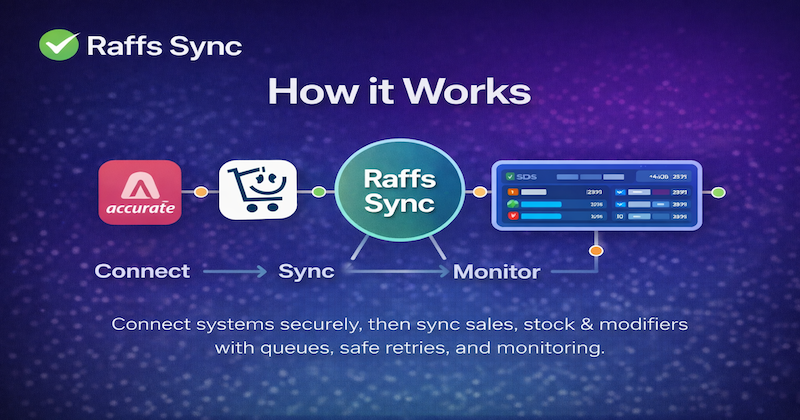
Raffs Sync connects your systems securely, then runs automatically — the operational backbone between your systems — synchronising data, automating workflows, notifying the right people, and escalating issues before they impact the business, with queued processing, safe retries, and operator-friendly monitoring.
Result: faster decisions, fewer surprises, and calmer operations at scale. Translation: fewer manual fixes, fewer missed updates, and no “why didn’t it sync?” surprises.
Official APIs onlyQueue + retriesSKU + modifier stockOperator-friendly monitoringAudit logs
One reliable event pipeline: connect → sync → monitor. Simple on the surface, rock-solid underneath.
Executive overview
Raffs Sync sits between your core platforms and turns operational events into reliable actions.
Orders become structured sales events, invoices reconcile cleanly, and stock stays accurate —
even when upstream systems are slow or temporarily unavailable.
1) Connect
Secure authorisation using official APIs (OAuth/webhooks). No passwords stored.
Access can be revoked any time.
2) Normalise
We align items, SKUs, modifiers, outlets, taxes, and customers so every system speaks the same language.
3) Synchronise
Events flow through a queue with safe retries and idempotency — preventing duplicates and lost updates.
4) Monitor
Operators see status, queues, retries, and exceptions at a glance — with a clear audit trail.
Onboarding
Connect Accurate Online via OAuth authorisation (no passwords stored).
Connect Take.app via signed webhooks (verified requests).
Map SKUs & modifiers so every add-on tracks stock correctly.
Run a test sync and confirm invoice + stock movement.
Go live — monitor, pause, and resume any time.
Most teams are live quickly once access is granted and item mapping is agreed.
(The “slow” part is usually deciding which SKU name is the real SKU name. Humans, eh?)
What syncs (typical restaurant flow)
This is the most common outcome customers want: every order is captured reliably and reconciles cleanly.
Orders & sales: Take.app orders become structured sales events.
Accounting: Sales events create invoices in Accurate (rule-based mapping).
Status: Optional status updates can flow back to connected systems and SDS workflows.
Result: better data integrity across systems — and far fewer manual “end of day fixes”.
Step 1 — Secure connections
All integrations use official APIs. Access can be revoked at any time.
We store OAuth tokens securely and never store platform passwords.
Take.app uses signed webhook requests, so events are verified before they enter the queue.
Step 2 — Automatic synchronisation
Online orders create sales invoices in Accurate, and stock reduces at the SKU + modifier level.
If any platform is temporarily unavailable, events queue safely and retry.
Rule-based mapping keeps item names, SKUs, customers and taxes consistent — even when platforms disagree.
Step 3 — Monitoring & control
View sync status, queued events, and retry history. Built for operators (not developers),
so you can see what’s happening and take action fast when needed.
Idempotency: safe retries without duplicate invoices or double stock reductions.
Audit logs: trace every event from source → processing → outcome.
Exception handling: missing mapping or failed calls surface clearly for action.
Data integrity note: official APIs only — no scraping, no reverse-engineering, no unsafe access.
Typical implementation timeline
Most venues can be live quickly once access is granted and mapping is agreed.
The timeline below assumes normal responsiveness from platforms (and minimal “we renamed SKUs again” moments).
Day 1: connect accounts + confirm scopes and webhook delivery.
Day 2–3: SKU/modifier mapping + rule configuration.
Day 4: test sync + reconciliation checks.
Go live: monitor peak periods and adjust rules if needed.