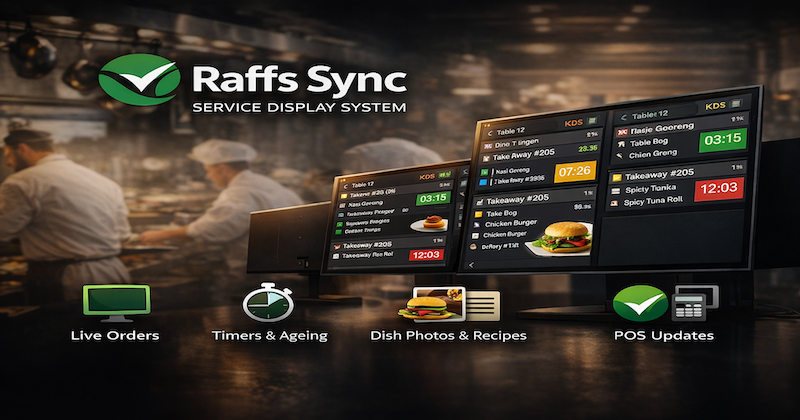
SDS — Service Display System
Real-time order routing and display for kitchen, bar, and service teams — built for restaurants, cafés, hotels, villas and resorts.
Queue + retries
Multi-station routing
Built-in comms
What SDS does
SDS is your operational “truth screen”: every order is routed to the right station with the right detail, timed from the moment it enters the queue, and tracked through to completion.
- Station routing: kitchen, bar, pass, room service, front desk / concierge.
- Order clarity: table, delivery, pickup or room; customer name, notes and modifiers.
- Speed: fast UI with large touch targets — ideal for tablets and TVs.
- Accountability: assign responsibility before escalation (one tap).
Core screens
Queue
New orders appear instantly with timers and prep status.
Station view
Only what that station needs: items, modifiers, notes and priority.
Order detail
Recipe/photo (optional), portion notes and completion actions.
Completion
Mark ready or served and notify upstream systems where supported.
Built-in communications
SDS includes internal and customer-facing notifications using WhatsApp infrastructure (not the WhatsApp app UI), with optional group-based routing and responsibility assignment.
- Group notifications: messages sent automatically to the correct team.
- Assign owner: one-tap assignment so everyone knows who’s responsible.
- Escalation: unacknowledged work escalates to supervisors.
Where SDS fits
SDS sits between ordering channels and teams on the floor — ensuring the right people see the right work instantly, with nothing falling through the cracks.
- Restaurants & bars: kitchen + bar + pass coordination.
- Hotels & villas: room service + front desk + concierge workflows.
- Multi-outlet groups: route by venue, station or role.
Next steps
Want to see how SDS connects to iSeller, Accurate, Take.app, GrabFood and GoFood?